I kept watching people get stuck before they'd even started. They wanted to try Claude Code — Anthropic's coding assistant that runs in your terminal — but getting there meant installing a few other tools first, in the right order, from the right places. For someone who doesn't write code, that's enough friction to give up. So I wrote a script that does all of it with one command.
Here's what the script installs, how to run it, and a way to preview the whole thing before it touches your machine.
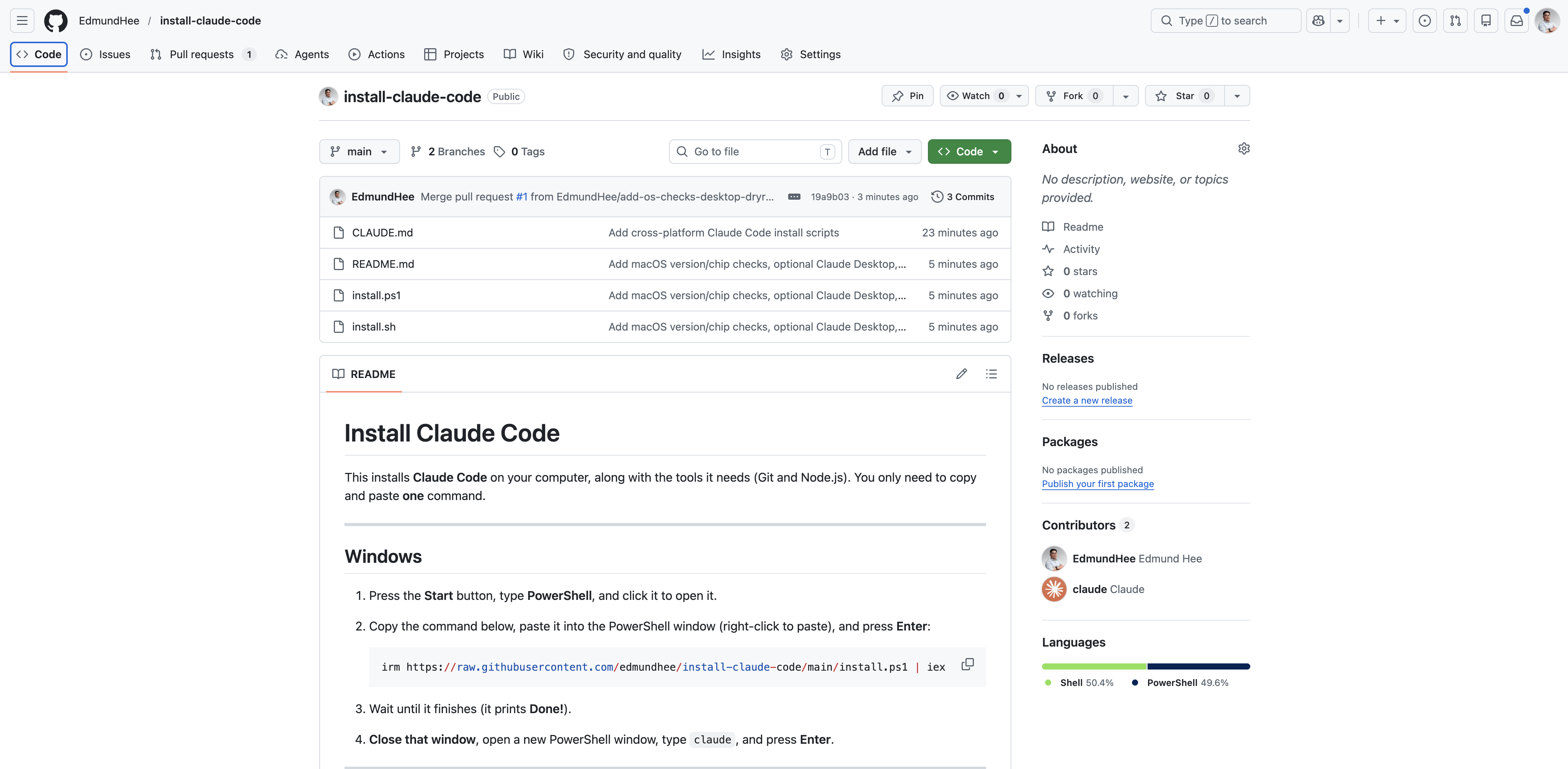
What the script does
It installs three things in one go. Git, a version-control tool that lots of developer programs quietly depend on. Node.js, a runtime — the engine other tools, including Claude Code, need in order to run. And Claude Code itself. You paste one line, wait, and the three arrive in the right order.
A few things I built in so it behaves well for someone who isn't watching it closely. It's safe to run more than once — it checks for each tool and skips whatever you already have. It never stops to ask questions partway through. And when it finishes, it runs a quick self-check to confirm everything landed. If you'd also like the Claude desktop app — the point-and-click version — there's an optional setting that installs that too.
Setting it up
There's one command for Windows and one for Mac. On Windows, you open PowerShell — a built-in app where you type commands instead of clicking — and paste this:
javascriptirm https://raw.githubusercontent.com/edmundhee/install-claude-code/main/install.ps1 | iex
That line downloads the install script and runs it. On a Mac, you open Terminal (the equivalent app) and paste this instead:
javascriptcurl -fsSL https://raw.githubusercontent.com/edmundhee/install-claude-code/main/install.sh | bash
Same idea — fetch the script, run it. Either way you wait until it prints Done!, open a fresh terminal window, type claude, and you're in. The first run asks you to sign in; you just follow the prompt.
Trying it first, without committing
If pasting a command from the internet makes you nervous — a reasonable instinct — the script has a preview mode. Add one bit to the end and it prints exactly what it would do, step by step, without installing or changing a thing:
javascriptcurl -fsSL https://raw.githubusercontent.com/edmundhee/install-claude-code/main/install.sh | bash -s -- --dry-run
You read the plan, and if it looks fine, run it again without that last part to do the real install. The same preview option exists on the Windows side. It's a small thing, but it turns "paste this and hope" into "look first, then decide."
Why I built it
I think installation should be fast and easy, and AI makes that achievable in a way it wasn't before — I used it to write the script itself. The setup steps for a tool like this are predictable and well understood, which is exactly the kind of work that should be automated rather than handed to every new user as a checklist. The goal is simple: get someone from "I want to try this" to a working claude prompt without losing them in the middle.
Verdict
If you've been meaning to try Claude Code but stalled on setup, this removes the excuse. Preview it if you're cautious, run it, and you're in.