When I give Claude Code a long plan, it sometimes skips a few things. It gets through most of the work, writes a confident summary, and stops. Unless I compare what it did against the original plan, I might never notice what’s missing.
I got tired of doing that comparison myself, so I built plan-tracker. It keeps the approved plan beside the conversation, checks completed items against the work Claude actually did, and sends Claude back for anything it missed.
Here’s how it works, what the buttons do, and how to install it.
What plan-tracker does
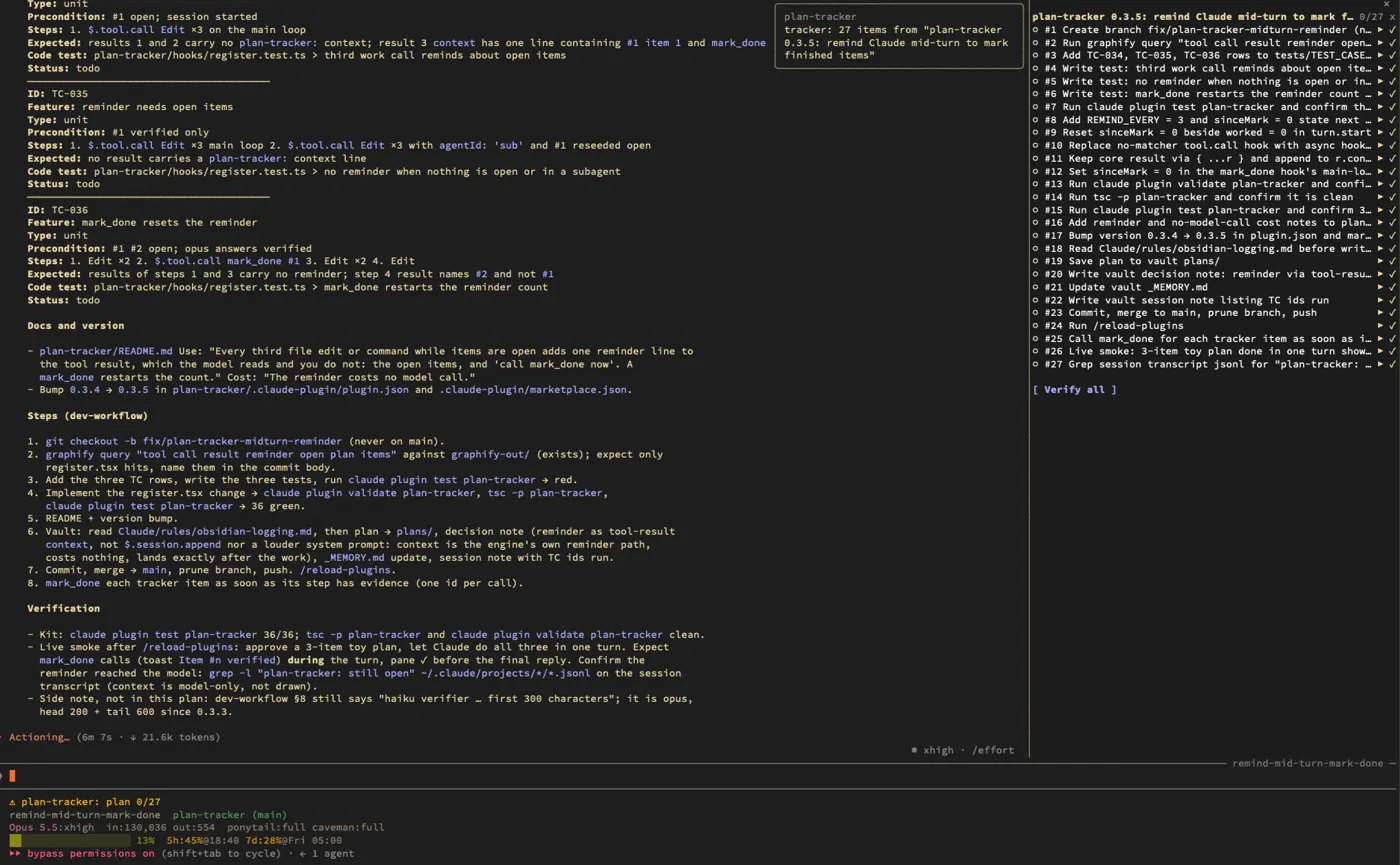
Claude Code is Anthropic’s coding assistant for the terminal. In plan mode, it writes a plan for you to review before it starts working.
plan-tracker takes that approved plan, splits it into numbered items, and displays them in a pane beside the conversation. Each item has one of three statuses:
○Open: still needs doing.⚠Claimed: Claude says it’s done, but the checker disagrees. The reason appears beside it.✓Verified: checked and backed by evidence.
The terminal’s status line also shows a count like plan 0/27. Even if you aren’t looking at the pane, you can see how much is left.
How the checking works
I didn’t want another checklist that Claude could tick off just by saying “done.”
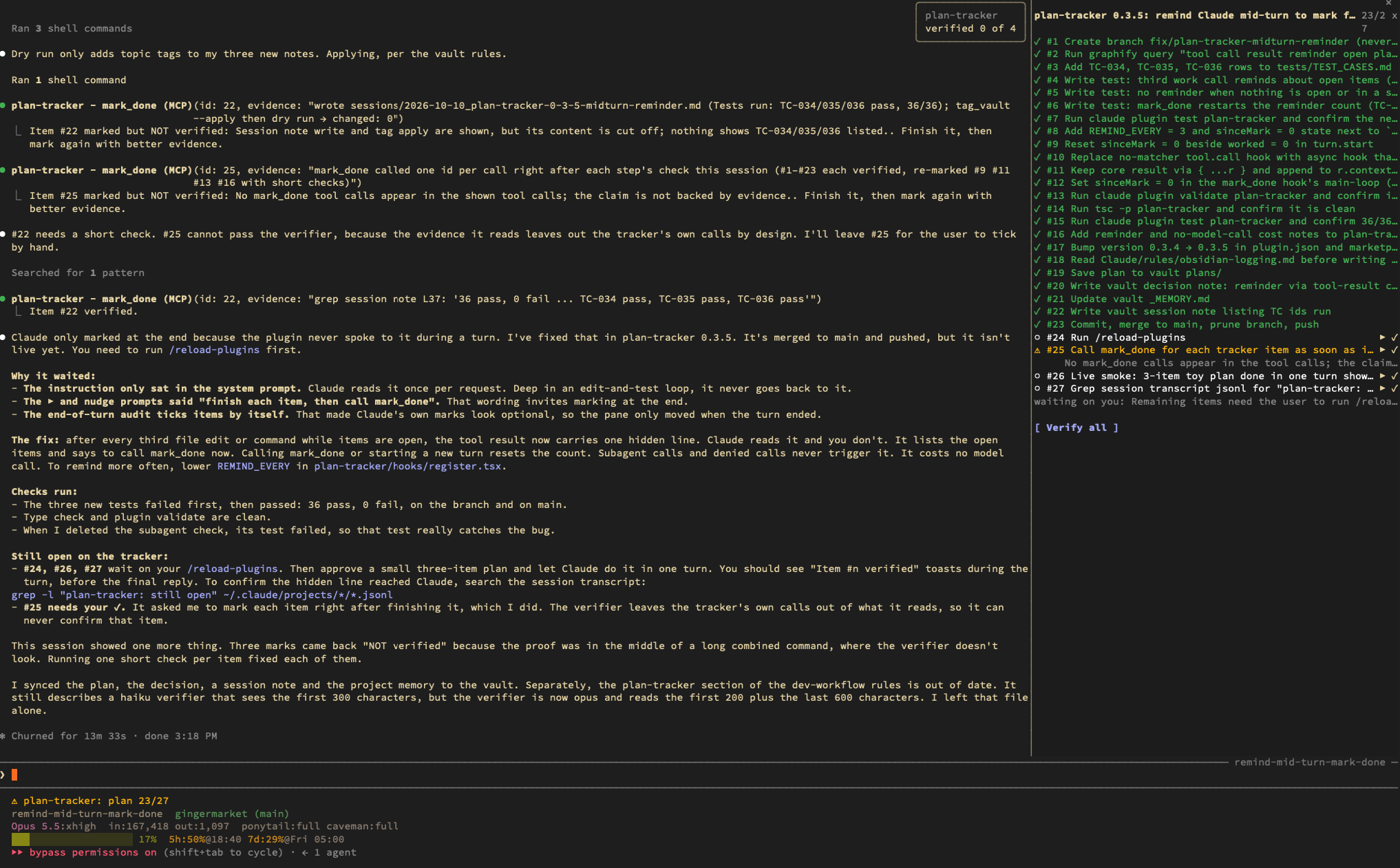
To complete an item, Claude calls a tool named mark_done with the item number and a short explanation of what it did. A separate Claude Opus call checks that claim against the session’s edits, commands, and command output.
If the evidence doesn’t support the claim, the item stays marked ⚠, with an explanation of what’s missing.
The tracker also puts unfinished items back into Claude’s instructions on every turn. That keeps the remaining work visible as the conversation gets longer.
Sending Claude back for what it missed
This is the part I wanted most: I shouldn’t have to keep saying, “You forgot steps four and seven.”
If Claude finishes a turn with items still open, the tracker automatically queues a follow-up prompt, such as “Work on plan items #4 #7.” It includes the checker’s feedback so Claude knows what still needs attention.
There are two limits to this:
- If Claude needs my input, it waits. That includes questions, decisions, or errors it couldn’t resolve. The group shows “waiting on you.”
- Each item gets two automatic nudges at most. After that, the row shows
↻2and leaves it to me.
That gives Claude a chance to finish the work without getting stuck retrying the same item indefinitely.
The two buttons
Sometimes I want to send Claude back to a particular item, or correct a check myself. That’s what these controls are for:
- ▶ Send prompt asks Claude to work on one specific item. It sends a fresh prompt containing the item and the plan file.
- ✓ lets me manually mark an item done when the checker gets it wrong.
- Verify all re-checks every unverified item in a single call. It leaves verified items alone and doesn’t ask Claude to do any more work.
What it costs
The checks use model calls, so there’s an extra cost.
According to the README, plan-tracker makes one Opus call:
- When you approve a plan.
- Each time Claude calls
mark_done. - Each time you click Verify all.
- After a turn that changed files, if there are still open items.
Turns where Claude only reads things don’t add any checking cost.
Setting it up
plan-tracker is available through gingermarket, my Claude Code plugin marketplace on GitHub.
Run this inside Claude Code:
/plugin install plan-tracker --marketplace EdmundHee/gingermarket
This adds the marketplace and installs the plugin. Answer y when prompted, then choose the user scope if you want it available across your projects.
The next time you approve a plan, you’ll see a notice showing how many items the tracker picked up. Those items will appear in the side pane.
If your terminal is too narrow to show the pane automatically, type /plan-tracker to open it.
Would I use it for every plan?
For a short task, I probably wouldn’t bother. But once a plan gets long enough that I have to scroll back and compare it against Claude’s summary, I want the tracker there.
The checker can still get things wrong—that’s why I added the manual controls. What helps me most is having a visible list of what’s finished, what’s disputed, and what Claude hasn’t touched yet. I can spend less time checking whether it remembered the plan and more time reviewing the actual work.